
Description
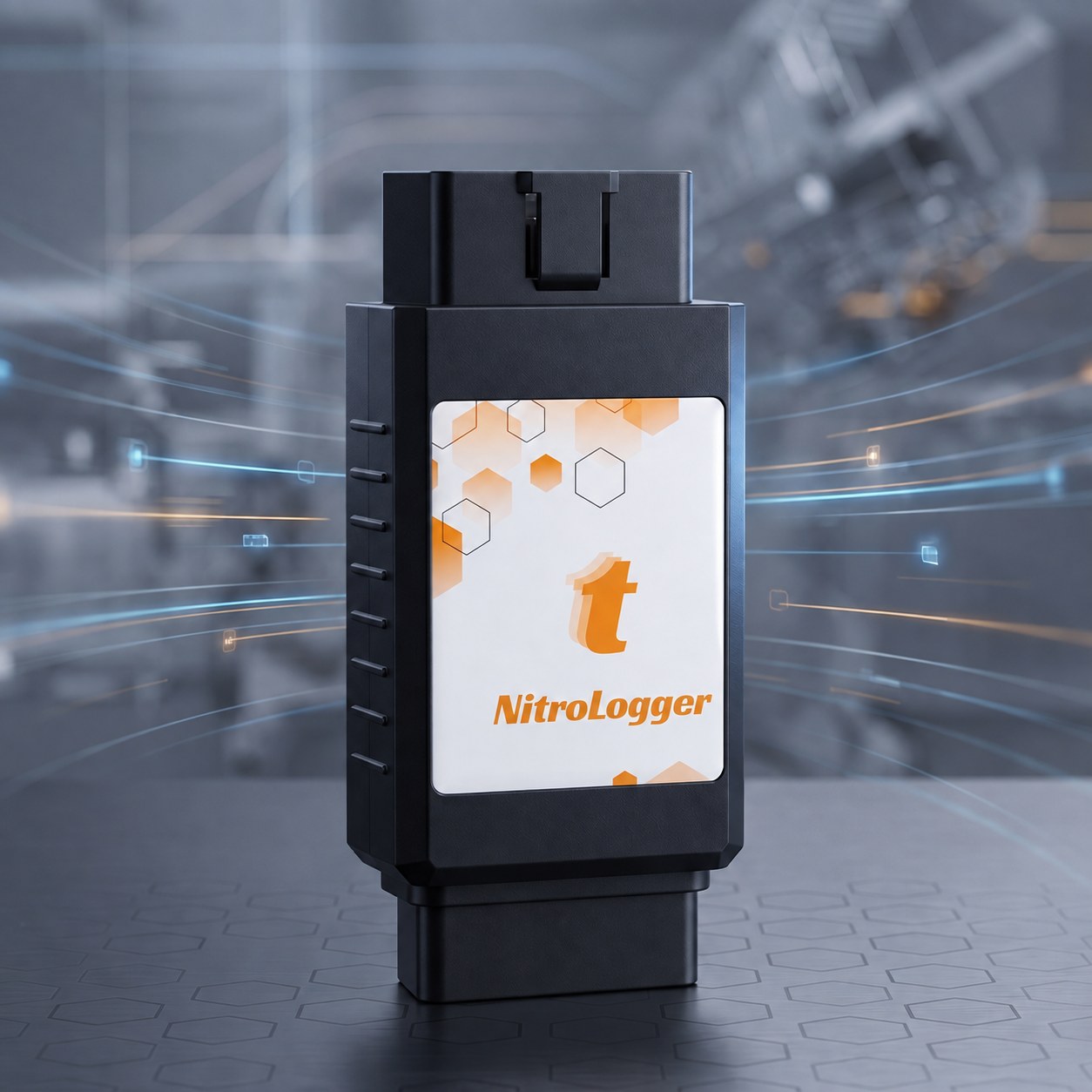
What is Nitro M-F OBD?
Nitro M-F OBD (labeled NitroLogger on the device) is a CAN bus sniffer and logger that plugs inline into the vehicle's OBD-II line with male and female OBD-II connectors. It listens to two independent CAN channels at the same time and carries the traffic to a PC over USB.
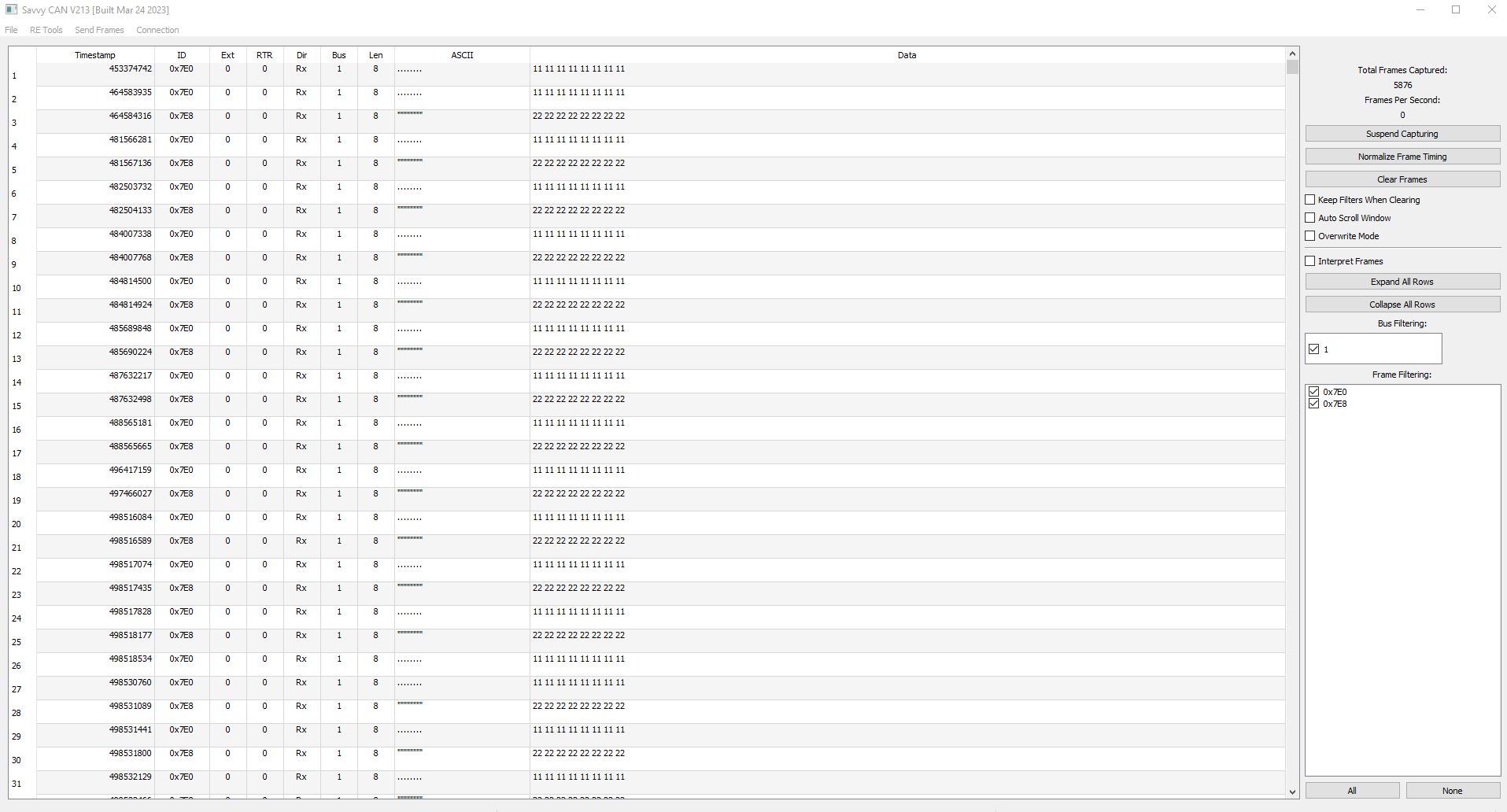
On the PC side it works with SavvyCAN over the GVRET protocol: live CAN traffic monitoring, ID/DBC-based filtering, log recording and export are done in that software. Because it sniffs the line without interrupting it, it can be used together with an OBD tester or scan tool plugged into the vehicle.
At a Glance
| What it does | Sniffs, logs and analyzes CAN traffic on the OBD-II line |
| Connection | Male + female OBD-II connector, inline (on the bus) |
| CAN channels | 2 independent channels, monitored simultaneously |
| PC connection | USB (COM port on Windows) |
| Software | SavvyCAN, GVRET protocol (serial, 1,000,000 baud) |
| Protocol support | Raw CAN frames on OBD-II and J1939-based vehicles; symbolic decode on DBC-defined networks |
| Typical CAN speed | 500 kbit/s (adjustable per channel in SavvyCAN) |
Key Features
Where and by Whom Is It Used?
- Automotive R&D and test engineers: inspecting ECU/gateway behavior through CAN logs and validating protocols on prototype vehicles.
- Chip tuning and ECU programming specialists: verifying the effect of aftermarket equipment or software changes on CAN traffic through recordings.
- Automotive cybersecurity researchers: protocol and timing analysis on the CAN bus, monitoring both channels simultaneously for security research.
- Fleet and telematics integrators: understanding vehicle CAN data to build custom telematics / OEM integration solutions.
- Educational and university labs: an affordable sniffer for teaching CAN bus, OBD-II and J1939 protocols hands-on.
- Sharing logs within a team: exporting recorded sessions and passing them on to a team or customer.
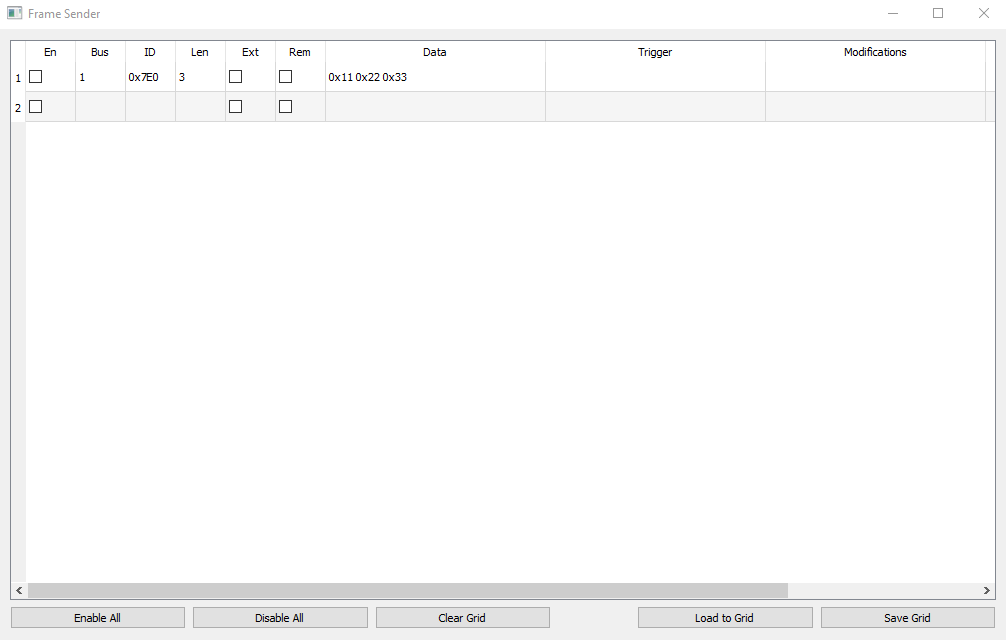
- Test frame sending: sending CAN frames from the PC (authorized environment, deliberate use only).
SavvyCAN Connection
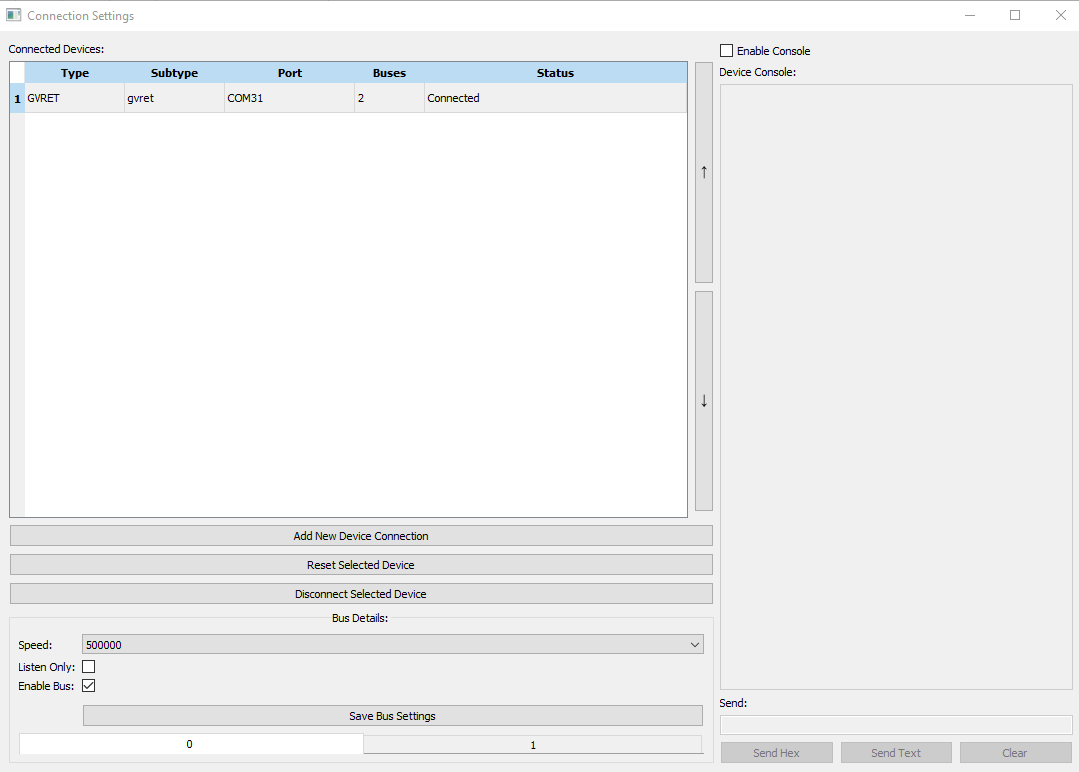
Connect the device to your computer over USB (it appears as a COM port on Windows) and follow these steps in SavvyCAN:
- Open Connection → Open Connection → Serial Bus Connection.
- Select GVRET as the device type and the relevant COM port as the port (serial speed 1,000,000 baud).
- Once connected, tick Enable Bus for Bus 0 and Bus 1 and set the CAN speed to match the vehicle (most OBD-II HS-CAN: 500000).
- Use SavvyCAN's logging / capture features to record.
Note: The COM port must not be in use by another application (serial monitor, an old SavvyCAN session).
Screenshots
Technical Specifications
| Microcontroller | ESP32 |
| CAN channels | 2 (Channel 0: MCP2517FD, Channel 1: ESP32 TWAI) |
| PC interface | USB (UART) |
| PC protocol | GVRET (binary serial) |
| Software | SavvyCAN (GVRET serial, dual bus) |
| OBD interface | Male + female OBD-II |
| Typical CAN speed | 500 kbit/s (adjustable) |
Frequently Asked Questions
What is Nitro M-F OBD?
It is a CAN bus sniffer and logger that plugs inline with male and female OBD-II connectors and carries two independent CAN channels to a PC over USB. The device is labeled NitroLogger.
What does 'CAN bus sniffer' mean, and how does this device do it?
A sniffer is a device/software that listens to traffic on a data bus without interrupting it and records it. Nitro M-F OBD connects to the vehicle with the female OBD-II connector, while an OBD tester or scan tool can be plugged into its male connector, so it works inline and sniffs CAN traffic without interrupting it.
How many CAN channels does it monitor at once?
Two independent CAN channels. In SavvyCAN, Channel 0 is the external MCP2517FD and Channel 1 is the ESP32 internal TWAI (CAN0); both are monitored simultaneously.
Can it decode signals with a DBC file?
Yes. Through SavvyCAN, raw CAN data on DBC-defined networks can be decoded into human-readable signal names and units.
Which software does it work with?
SavvyCAN. The device runs in GVRET (ESP32RET-compatible) serial mode; in SavvyCAN choose Connection → Open Connection → Serial Bus Connection, device type GVRET and the relevant COM port. The serial speed is 1,000,000 baud.
Who is it suitable for?
Automotive R&D/test engineers, chip tuning specialists, automotive cybersecurity researchers, fleet/telematics integrators, and educational institutions teaching CAN bus, OBD-II and J1939 protocols hands-on.
How is a log recorded and what can be done with it?
A session is recorded as a log with SavvyCAN's logging / capture features. Afterwards you can filter by ID, trigger, graph, compare and export.
Can it send CAN messages?
CAN frames can be sent from the PC for test purposes (SavvyCAN Frame Sender). The device is intended primarily for sniffing and logging; writing to CAN should only be done in an authorized environment and deliberately.
Safety and Responsibility
Interfering with the CAN/OBD line can affect vehicle operation. Writing to CAN should only be done in an authorized environment and deliberately. The device is intended primarily for sniffing and logging; brand/model compatibility is the user's responsibility.