
Description
What is the ObdTalk OEM Service Diagnostic Tool?
The ObdTalk OEM Service Diagnostic Tool is a complete package that bundles a vehicle-connected diagnostic interface (VCI) with the OBDTalk-Desktop software installed on your computer. You can start diagnosing vehicles straight out of the box, with no need to source a separate VCI.
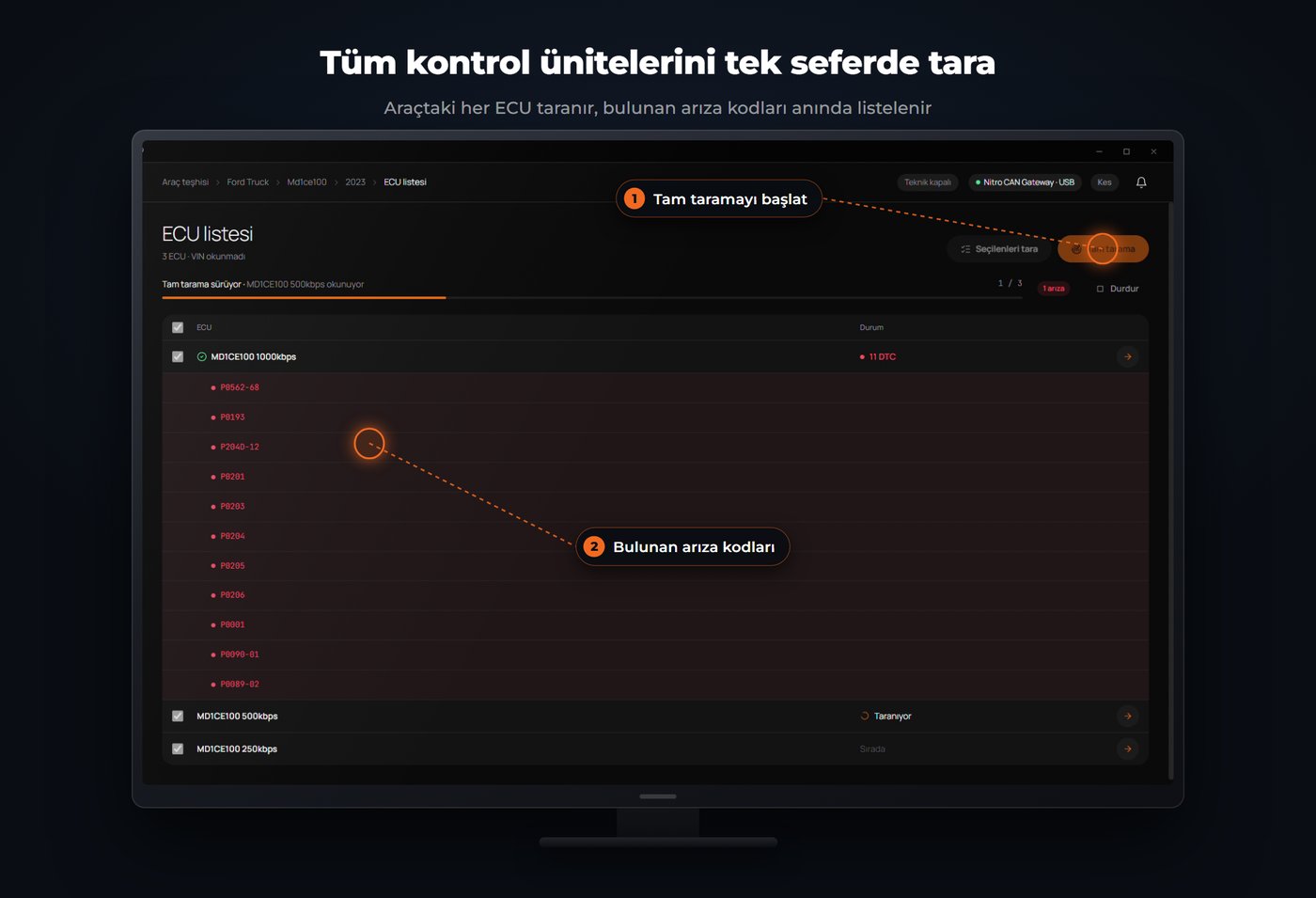
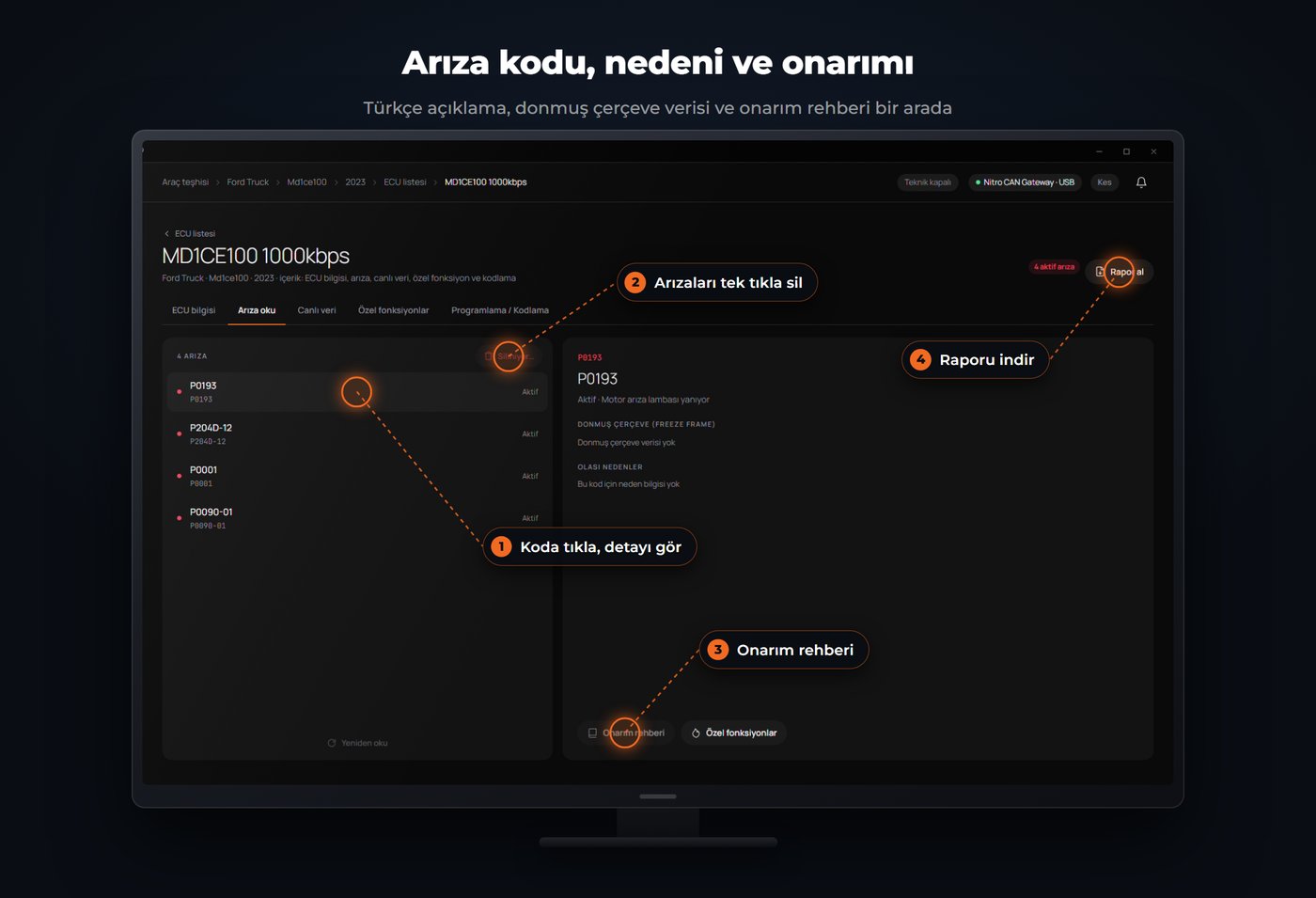
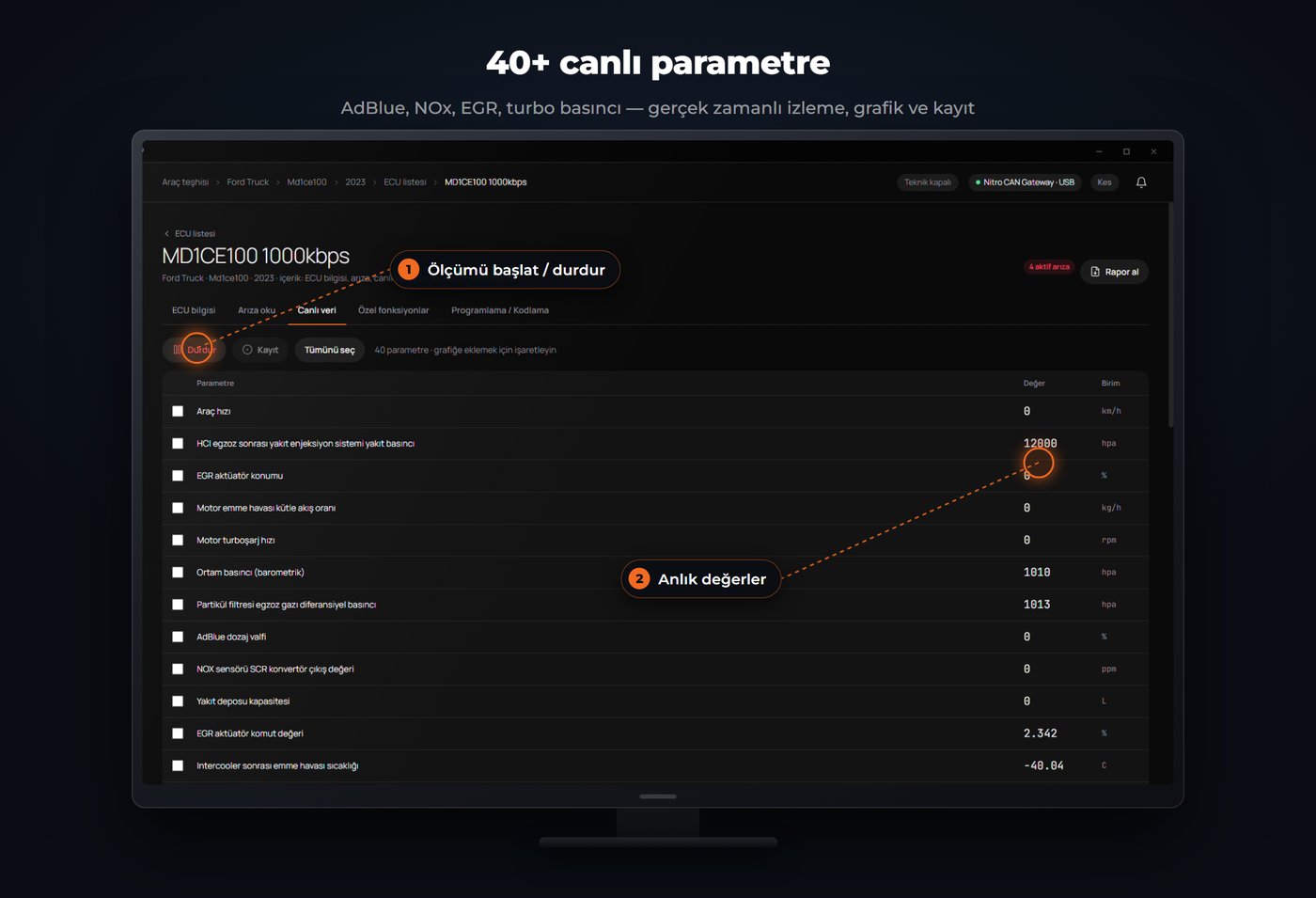
The VCI connects to the vehicle's OBD-II line and communicates with the OBDTalk-Desktop software on your computer. On the software side, control unit scanning, fault code read/clear, live data monitoring and PDF reporting are all brought together on one screen.
At a Glance
| What's in the box? | VCI diagnostic interface + OBDTalk-Desktop software |
| What it does | Control unit scanning, fault code read/clear, live data monitoring, PDF reporting |
| Who it's for | Authorized/independent workshops, fleet maintenance teams, professional users |
| Coverage | From passenger cars to heavy commercial vehicles |
Key Features
Who Is It For?
Built for authorized and independent workshops, fleet maintenance teams, and anyone who works on vehicles professionally. It works across a wide range, from passenger cars to heavy commercial vehicles.
How Does It Work?
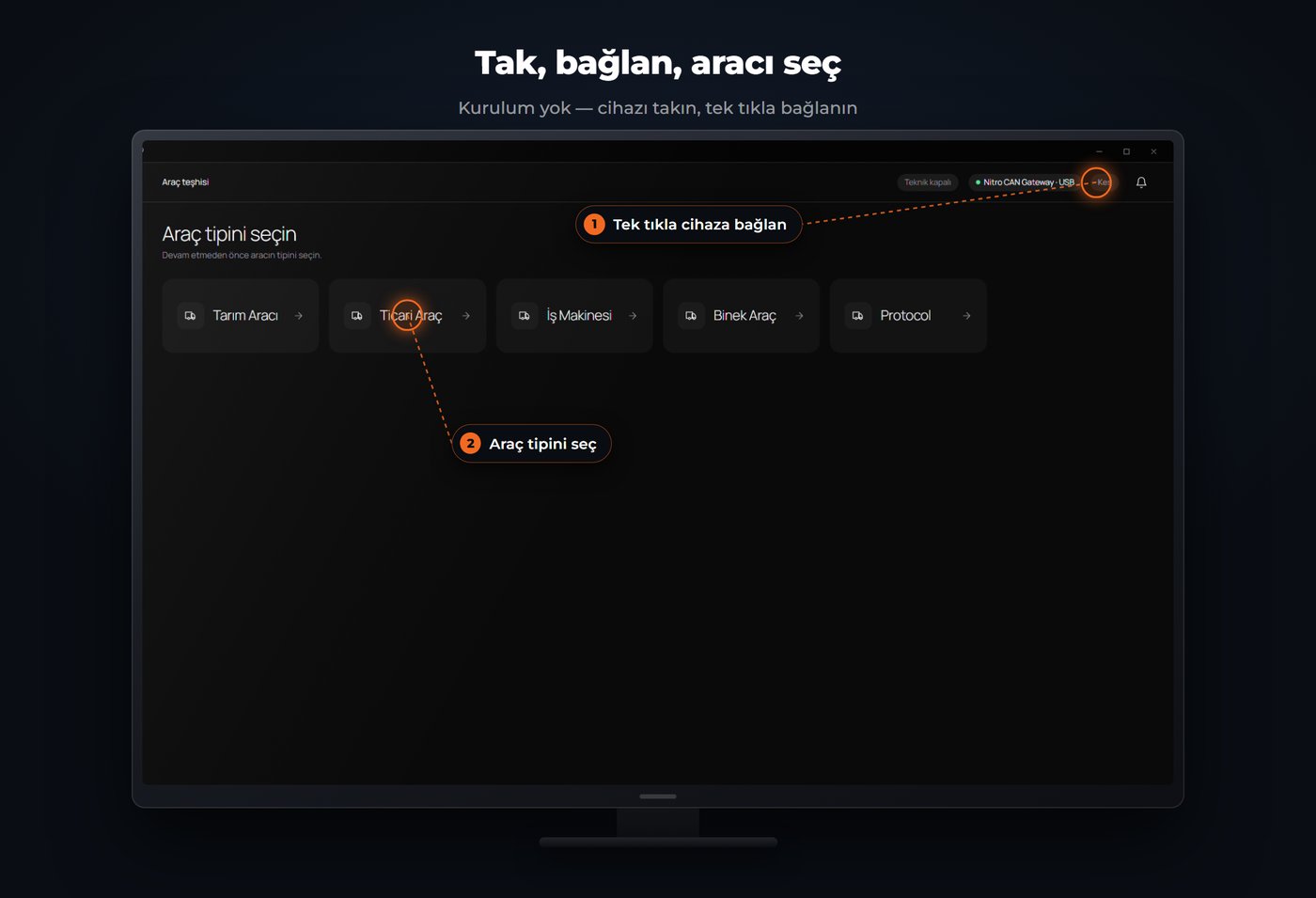
- Connect — Plug the included VCI into the vehicle and your computer.
- Install — Install the OBDTalk-Desktop software on your computer.
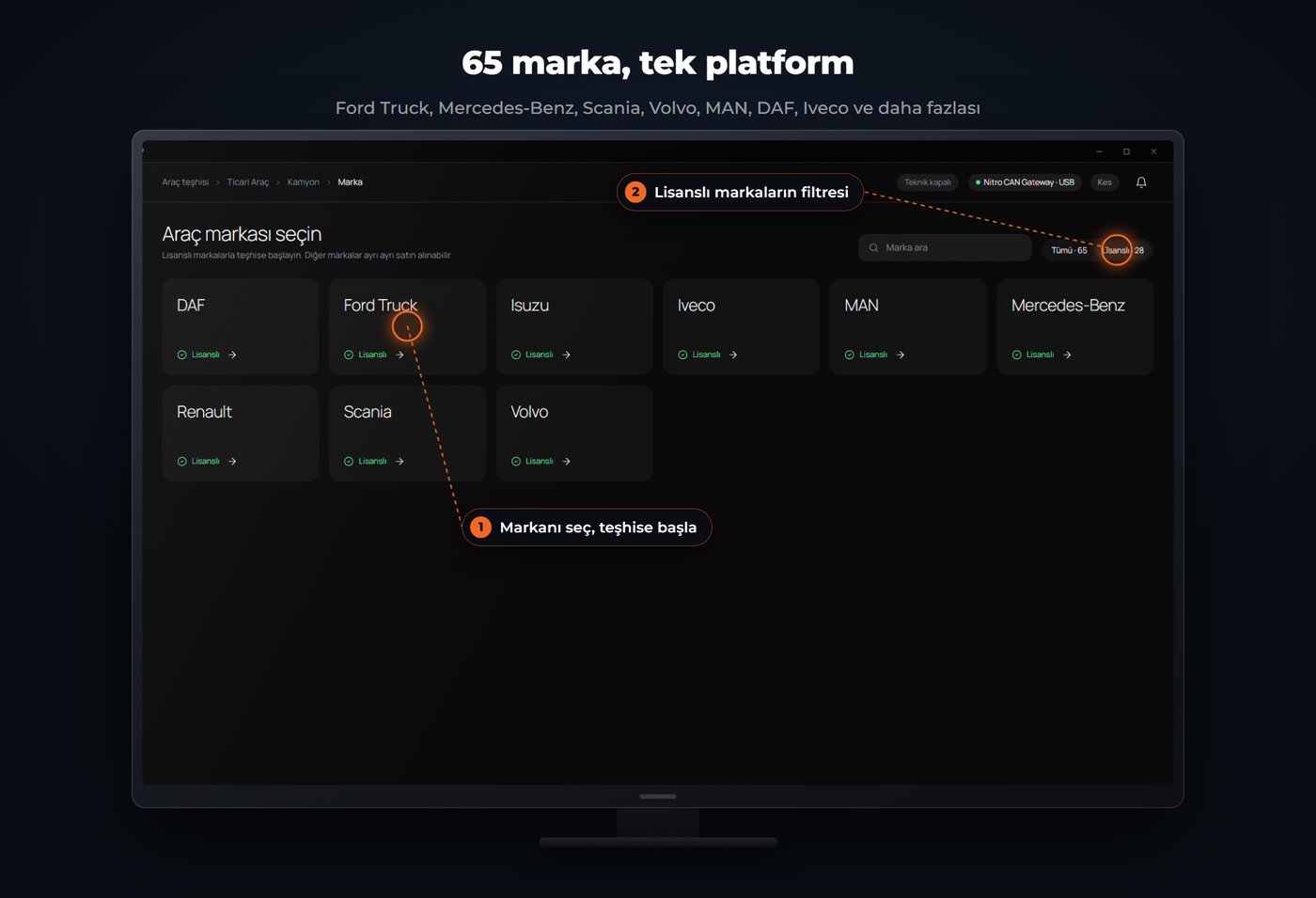
- Scan — Select the vehicle and start the scan; modules and faults are listed within seconds.
- Diagnose and report — Read the faults, monitor live data, and get the result as a PDF.
Screenshots
Frequently Asked Questions
What is the ObdTalk OEM Service Diagnostic Tool?
It is a diagnostic package that bundles a vehicle-connected VCI diagnostic interface with the OBDTalk-Desktop software installed on your computer.
Do I need to buy a separate VCI (diagnostic interface)?
No. The VCI is included in the package; you don't need to purchase additional hardware.
Which vehicles can it be used on?
It works across a wide range, from passenger cars to heavy commercial vehicles, communicating with modules from the engine control unit to the transmission.
Can I get a report?
Yes. You can turn the diagnostic session into a professional PDF report with one click and present it to the customer or archive it.
Who is it suitable for?
It is suitable for authorized and independent workshops, fleet maintenance teams, and anyone who works on vehicles professionally.
Can it write software to the ECU (programming/flashing)?
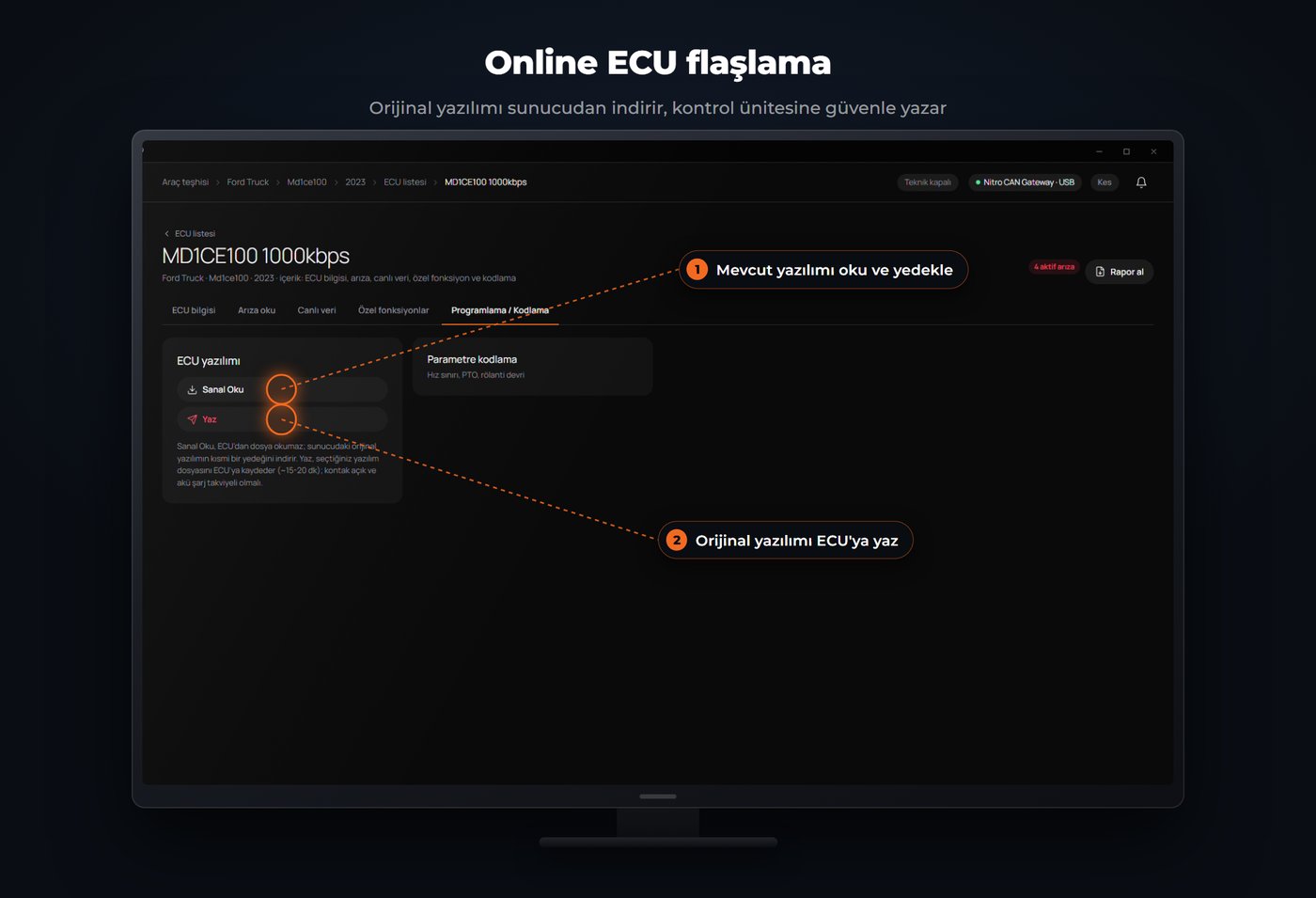
Yes. In OBDTalk-Desktop, Virtual Read first backs up the ECU's current software, then Write saves the selected software file to the ECU. The process takes about 15-20 minutes; the ignition must be on and the battery supported by a charger.
Can it do injector coding and maintenance reset?
Yes. When an injector is replaced or cylinder positions are mixed up, each cylinder's injector code can be re-introduced. It can also reset the dashboard's maintenance reminder after an oil or mechanical service.
