

TOPDON is pleased to announce that our diagnostic tools are now officially certified for NISSAN AutoAuth SGW access, enabling full diagnostic access to modern NISSAN vehicles in North America.
What Is NISSAN AutoAuth SGW Access?
NISSAN has implemented Secure Gateways (SGW) on new-generation models to strengthen cybersecurity and protect vehicle electronic systems. The SGW acts as a protective barrier that prevents unauthorized access to critical ECUs and limits diagnostic tools to basic read-only functions.
NISSAN US now uses the Automatic Authentication Authority (AutoAuth) to manage user accounts for access to SGW-equipped vehicles.
Why Is Unlocking NISSAN AutoAuth SGW Necessary?
Before unlocking:
Without unlocking the SGW, diagnostic tools generally offer full OBD2 functions, enabling basic diagnostics such as reading codes, reading ECU information, and monitoring live data.
After unlocking:
North American users can perform complete and advanced diagnostics on NISSAN vehicles by unlocking the NISSAN secure gateway, including ECU programming, ECU coding, active tests, maintenance services, immobilizer functions, and more.
*Available specific functions depend on the diagnostic tool's capabilities.
Which TOPDON Products Are Certified for NISSAN AutoAuth SGW?
TOPDON's TopScan, UltraDiag, ArtiDiag500/600 S/600 Elite/700/900 Lite diagnostic tools currently offer NISSAN AutoAuth SGW unlock capabilities. We are actively working to bring this feature to more diagnostic tools—please stay tuned for updates.
How Do You Unlock NISSAN AutoAuth SGW with a TOPDON Diagnostic Tool?
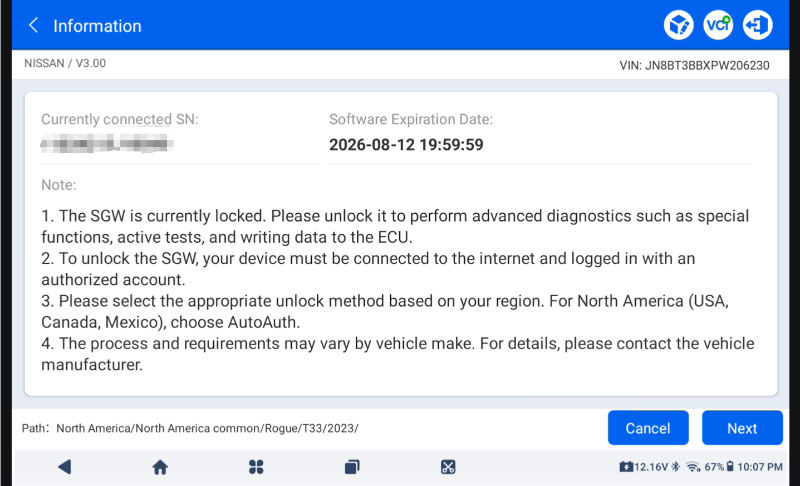
Step 1: When diagnosing NISSAN vehicles, your SGW unlock authorization status will be shown on the page below.
Step 2: Log in to your AutoAuth account to unlock.
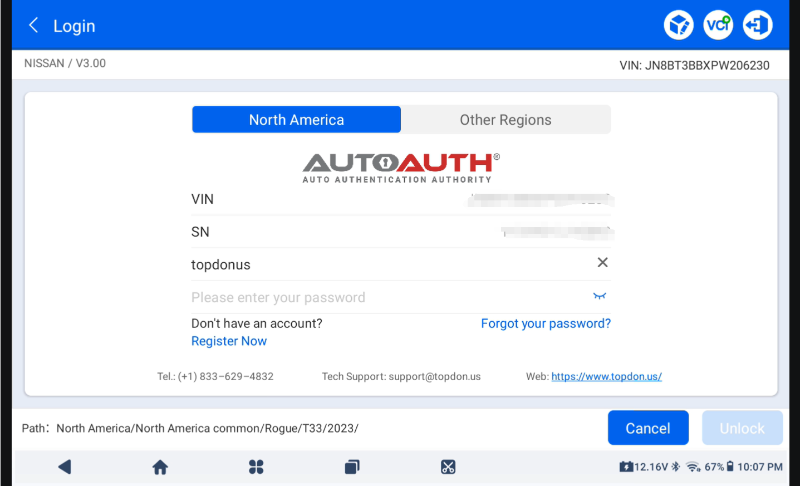
Note: *You must register an AutoAuth account and pay for the service.
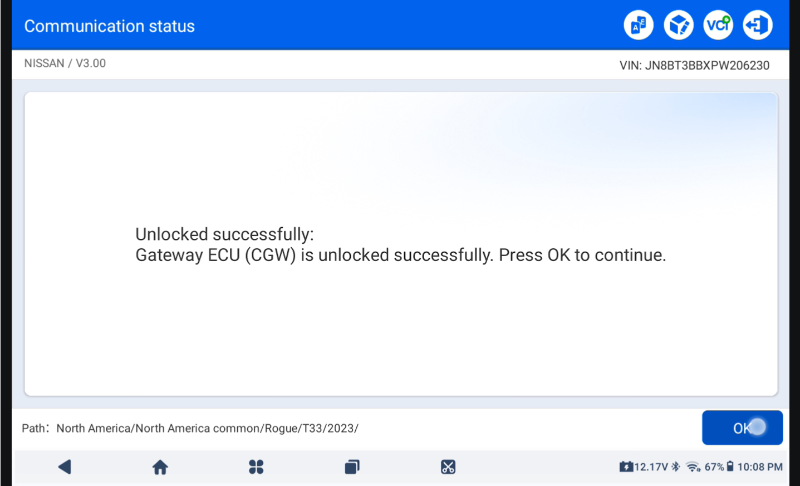
Step 3: After NISSAN AutoAuth SGW is successfully unlocked, you can perform more diagnostic functions on NISSAN vehicles.
How Do You Register an AutoAuth Account?
1) Go to https://webapp.autoauth.com/
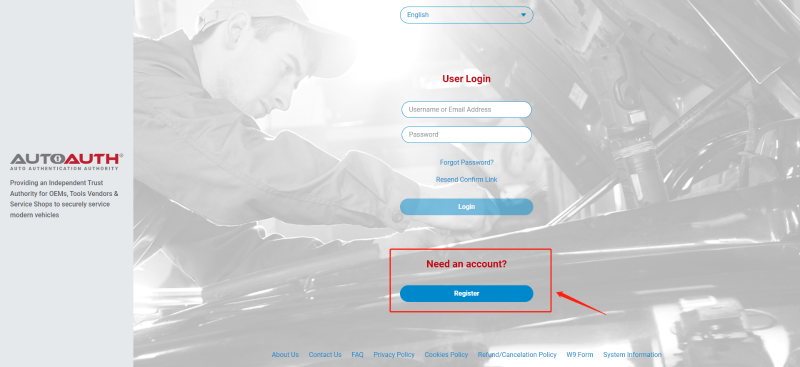 2) Click REGISTER
3) Set Up AutoAuth User Account – No payment is made until a user registers a service center (shop or technician).
You will need to create a unique username. The username must be at least 8 alphanumeric characters starting with a letter. Usernames are lowercase. After choosing a username, you will fill in the other fields including:
• First name
• Last name
• Email address
• Password
• Password confirmation
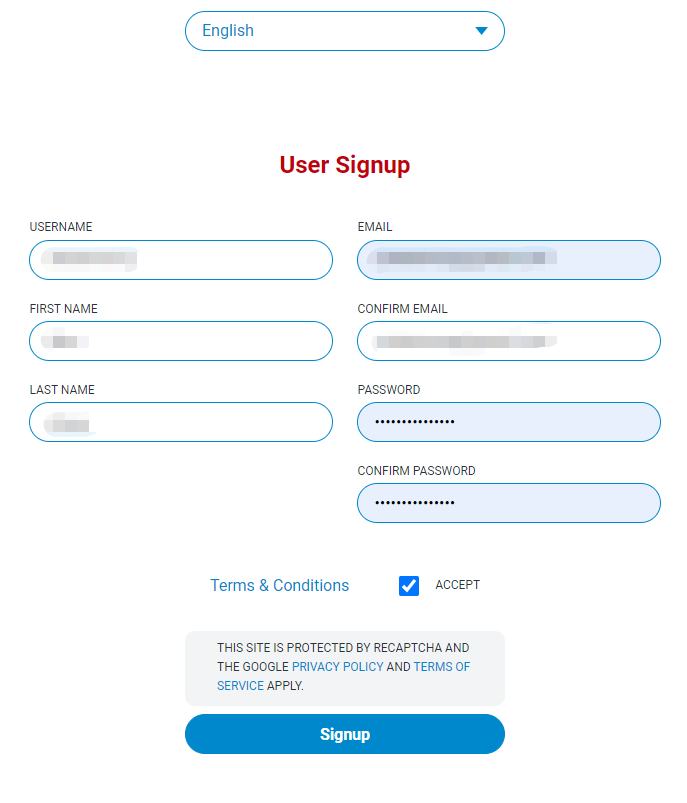
After accepting the terms and conditions, click the "Signup" button. This will create your account and AutoAuth will send you an email to confirm your email address. You must click the link in the email to confirm your address. Once done, you can log in to the AutoAuth portal to manage your account on the AutoAuth home page.
4) To pay for the service, first log in to your account. You will see the Welcome to AutoAuth message. Click "Service Center Registration / Independent Technician Registration"
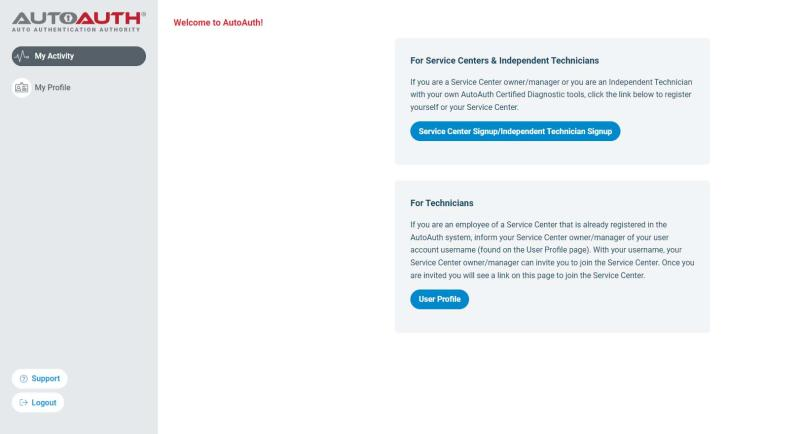
You will be directed to the service center registration form.
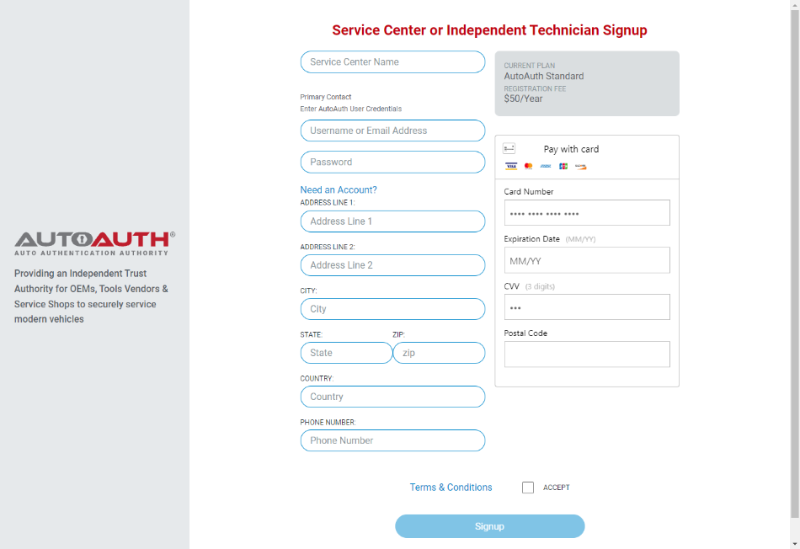
Enter a name for your shop. (This can be changed later.)
Enter your username. (This cannot be changed later.)
Enter your password.
Enter your address, city, state, postal code, and country.
Enter your phone number.
Enter your credit card number.
Enter your card expiration date.
Enter your card CVV number.
After reading the terms and conditions, check the box to accept them.
Check the box at the bottom to confirm you are not a robot.
Click the "Signup" button at the bottom of the page.
Note: Payment fees made directly through AutoAuth are not part of any TOPDON transaction process.
You will now have "Manage Tools" and "Manage Users" in the menu on the left side of the page, as shown below:
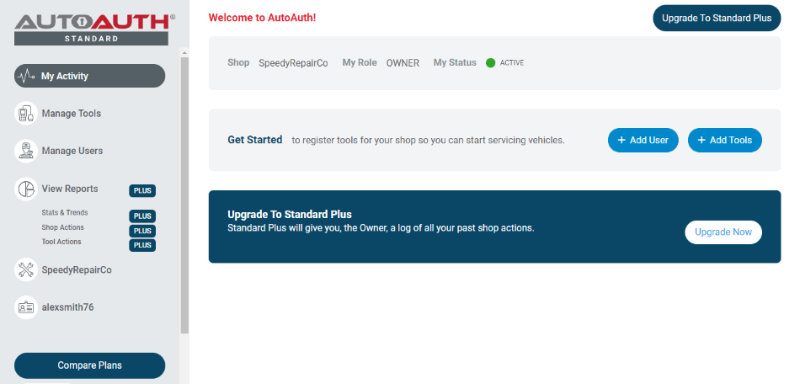
The next step is to register your tool serial numbers.
5) After logging in as shop owner, select "Manage Tools" from the left menu.
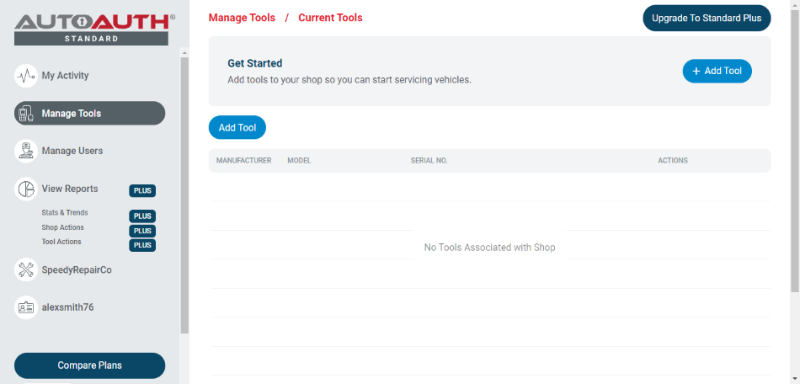
Click the "+ Tool" Add button.
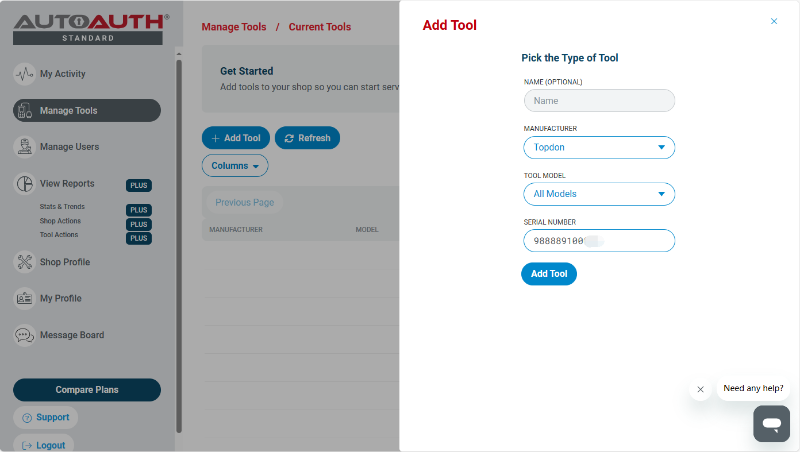
Select TOPDON as the manufacturer.
For tool model, select "All Models".
Enter your tool's serial number.
Click the "Add Tool" button. You can now see the TOPDON diagnostic tool in your list.
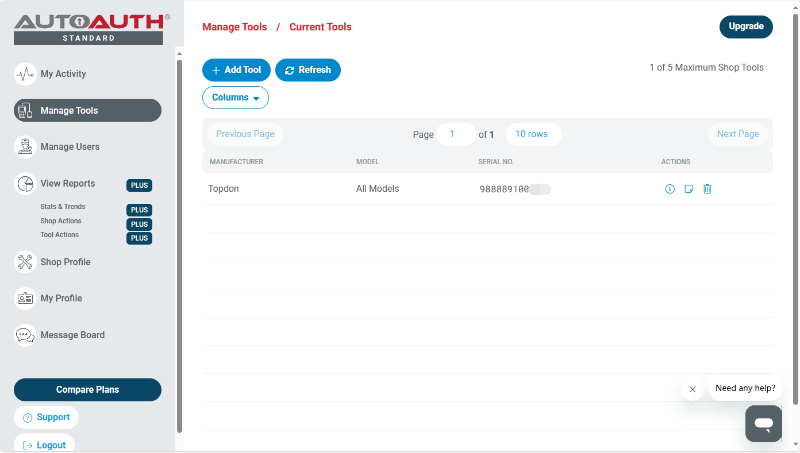
Note that a TOPDON tool serial registered to a shop can be used by all registered shop users. However, one tool serial cannot be used by multiple shops.
Once your TOPDON tools are added to your shop account, AutoAuth grants authorization to unlock the secure gateway on vehicles. There is no delay after registering your serial numbers.
More Information About AutoAuth
AutoAuth is an independently owned and operated service that works with Auto OEMs and independent tool vendors.
AutoAuth provides a service for independent operators to unlock vehicles so they can safely serve their customers. New vehicles will actively ship with the latest cybersecurity features to protect vehicle owners from cyberattacks. AutoAuth works with independent tool vendors to ensure the tools independent operators use for their work are AutoAuth-certified tools. This will allow independent operators to continue servicing cyber-enabled vehicles. AutoAuth provides registration services for independent operators' service tools and "unlock codes" to unlock vehicle gateways to perform daily service.
To access the AutoAuth WEB Portal, please visit:
You May Also Like

What Is a Diagnostic Tool? How Does It Work?

