

TOPDON is pleased to announce that VAG SFD Security Gateway (SGW) unlocking support for the SFD security protection used in VAG group vehicles is now available on our diagnostic tools.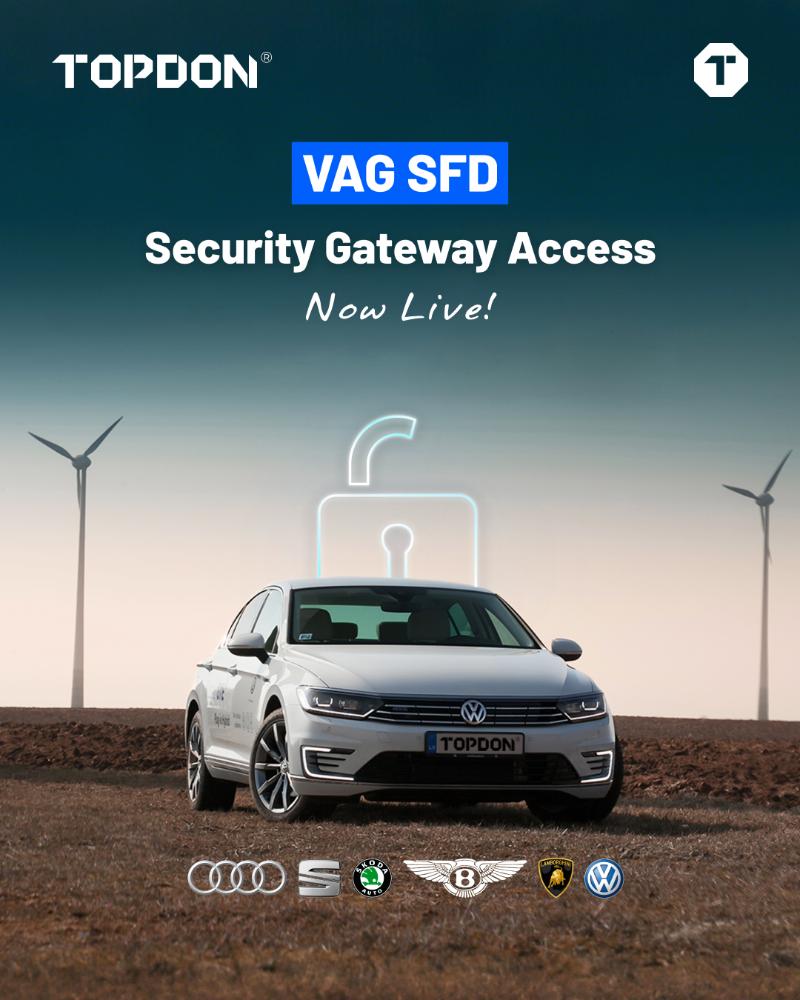
What Is VAG SFD SGW Access?
SFD (Schutz Fahrzeug Diagnose) is a security mechanism developed by the Volkswagen Group to protect diagnostic access in vehicles.
Unless an unlock is performed through identity verification, it restricts the following advanced diagnostic operations:
Programming
-
Coding
-
Configuration
-
Bidirectional control (active tests)
-
Clearing fault codes
??Why Is Unlocking the VAG SFD SGW Necessary?
Thanks to the SFD SGW unlocking feature integrated into TOPDON devices, users can:
-
Access protected control units.
-
Perform advanced operations such as programming, coding, maintenance services, active tests and fault code clearing.
-
Have full diagnostic coverage on new-generation vehicles equipped with SFD.
Which TOPDON Products Can Unlock the VAG SFD SGW?
TOPDON devices currently offering VAG SFD unlocking support:
-
ArtiDiag 500 / 600 Series
-
ArtiDiag 700 / 800 BT
-
ArtiDiag 900 Lite
By the end of December, support will also be added to the following series:
-
UltraDiag
-
Phoenix Series
-
ONE Series
Stay tuned for updates on other TOPDON devices.
How to Unlock the VAG SFD SGW with a TOPDON Diagnostic Tool?
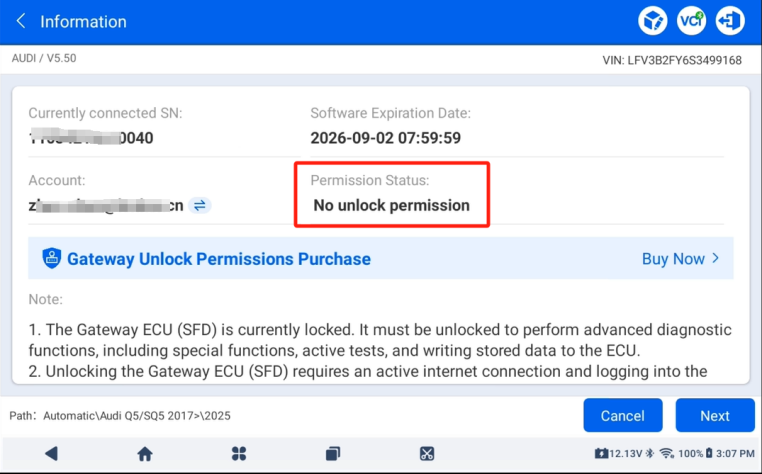
1. When you diagnose a VAG vehicle with SFD SGW, the system shows your current unlock authorization status.
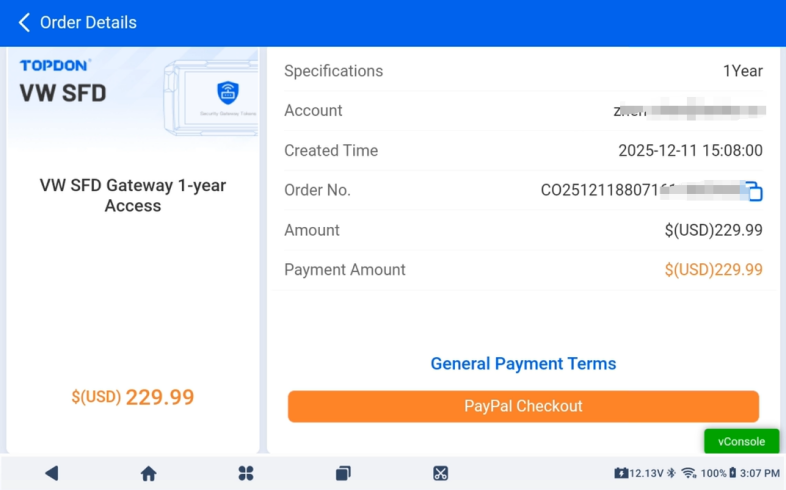
2. Tap the "Buy Now" option to purchase SFD SGW access and complete the order.
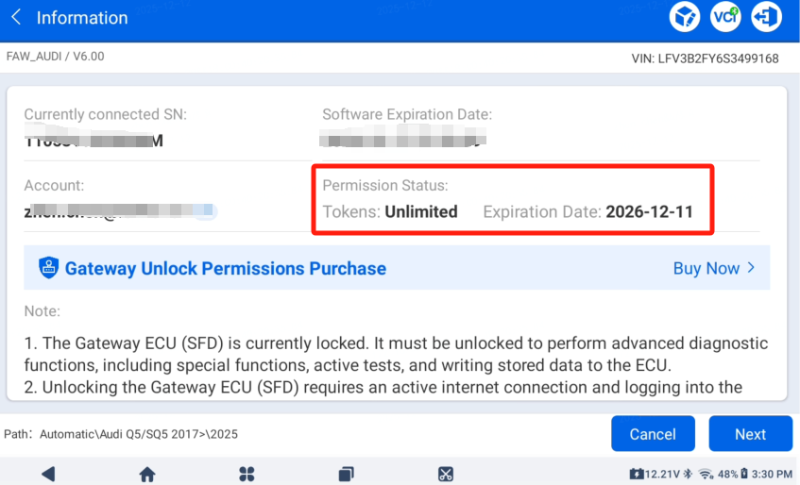
3. Go back to the Gateway Information page to check your authorization status and validity period.
4. Tap the "Next" button and sign in to your TOPDON account.
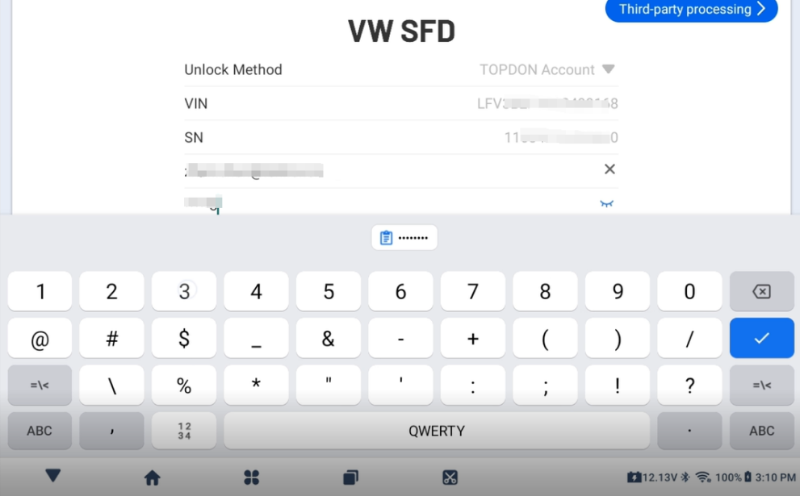
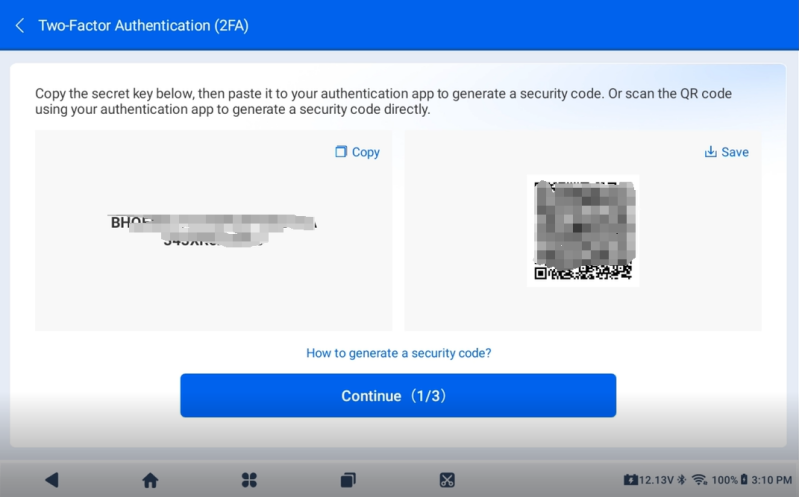
5. Follow the on-screen instructions to complete two-factor authentication (2FA).
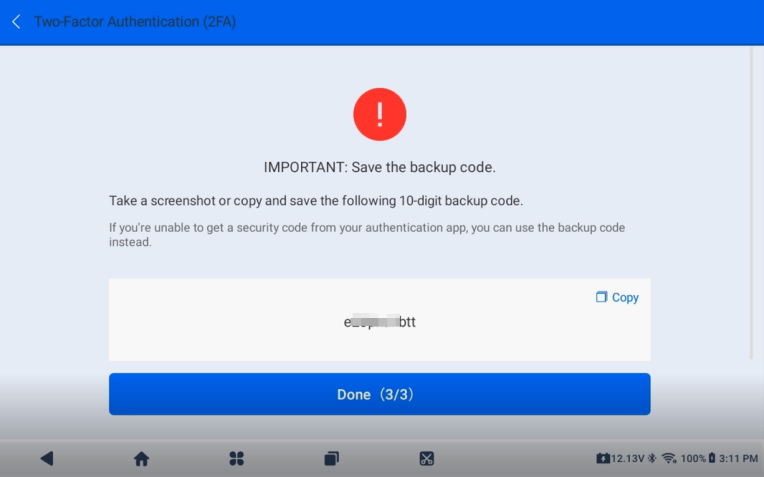
6. Be sure to save your backup code for account recovery.
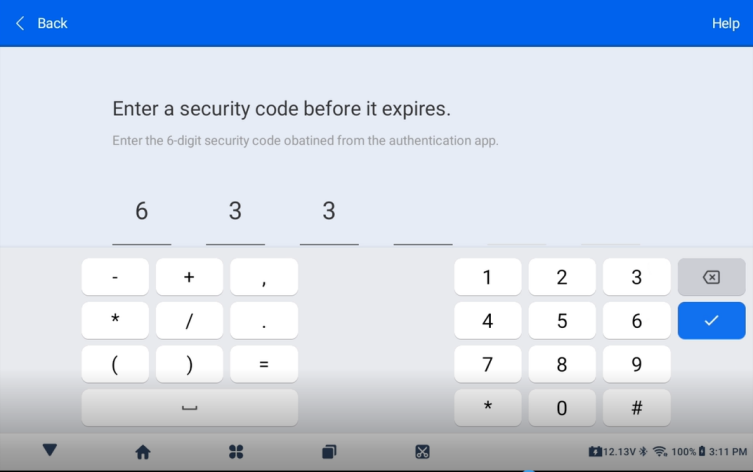
7. Sign in again with the secure verification code provided to you.
8. Fill in your personal information, including your name, phone number and service address.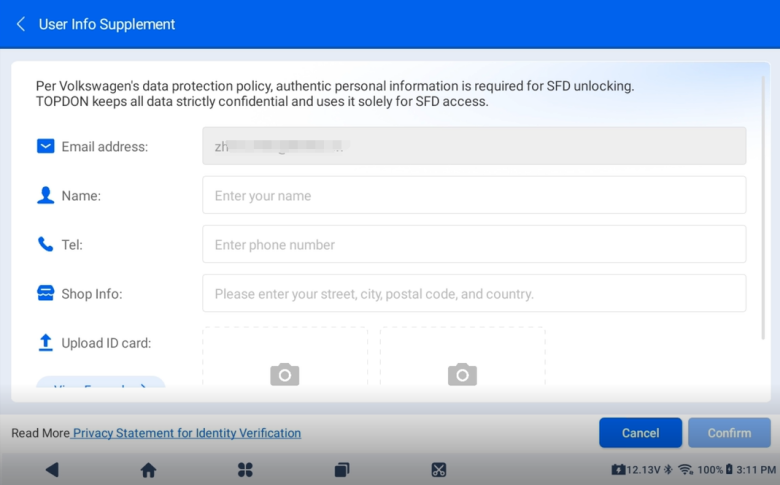
9. Upload photos of your ID or take photos directly.
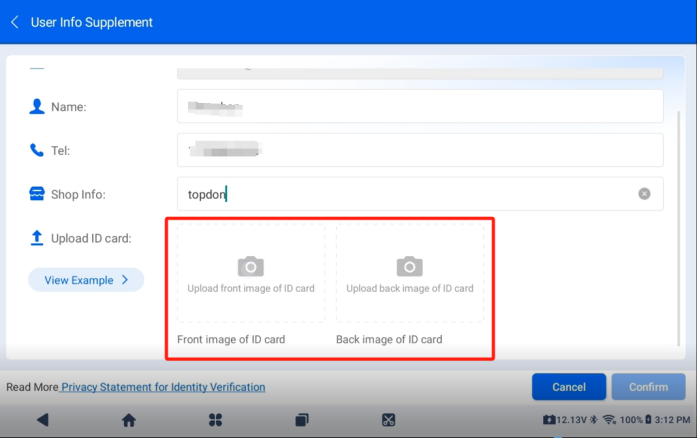
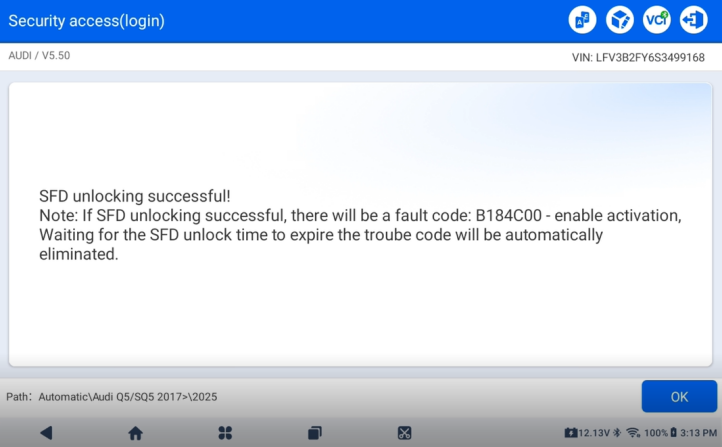
10. Once the upload is successful, the SFD SGW is unlocked and you can start diagnosing.
*Identity verification is only required once. Once approved, you do not need to upload again.
You May Also Like

What Is a Diagnostic Tool? How Does It Work?

How to Fix the Ford IDS License Error? | Remote Support
