

How to Reset the Tablet on Autel Diagnostic DevicesAs a leading company in diagnostic tools and test equipment in Turkey, Nitro Bilişim is committed to delivering the highest quality service with its innovative infrastructure, growing expert team, and nationwide network.Since 2018, it has held the sole official Turkey distributorship for all Autel diagnostic devices, tire pressure sensors, and TPMS programming tools.
In this article we explain how to reset your Autel tablet.
After a reset, everything saved on the tablet will be deleted, so we recommend backing up your data and documents before resetting.
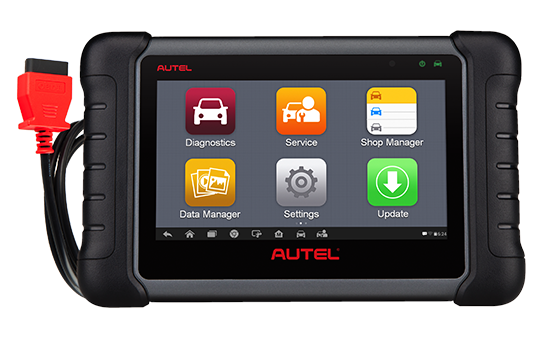
- First, tap Settings on the tablet home screen.
- In the menu, under the Personal tab, tap Backup & Reset, then tap Factory Data Reset on the right.
- On the next screen, if you want to erase the memory card, check Erase SD Card and tap Reset Tablet at the bottom.
- On the next screen, select Erase Everything to reset the tablet.
- The tablet will restart after this step.
- Go back to Settings, enable Wi-Fi, and connect to a wireless network.
- Because the tablet was previously activated, you will not need to enter a username and password again at this stage.
- Then launch the MaxiCheck app from the home screen.
- After opening the app, go to the Update section.
- First install the System Program update.
- Then install the LibComm update.
- After LibComm, restart the MaxiCheck app. After updates, you can use MaxiCheck with Turkish language support.
- After system updates, proceed to install the latest vehicle software updates.
- Use Update All in the top-left corner to install all updates with one tap.
- After a tablet reset, approximately 42 vehicle updates are typically installed. The update process takes about 2 hours on average, depending on your internet speed.
- After completing the backup, you can proceed to the tablet reset stage.
To view similar products click here
Related Products

Topdon
Topdon Artilink 500 OBD2 Diagnostic Tool
The Topdon Artilink 500 is a versatile diagnostic tool compatible with all 1996 and later OBD2 vehicles, featuring a 2.8-inch display, live data reading, and f…

Topdon
Topdon One Diagnostic Device
The Topdon One Diagnostic Tool provides over 50 maintenance functions for more than 120 car brands with advanced protocol support for modern vehicle networks.
$999.00 +VAT
Lowest:
$1,200.00 +VAT

Topdon
Topdon ArtiLink600 Diagnostic Tool
Topdon ArtiLink600 offers broad ABS and SRS diagnostic capability, full OBD2 testing and multiple maintenance services. A user-friendly display and lifetime fr…
$250.00 +VAT
You May Also Like

06 May 2021
Autel MaxiDiag MD808 Diagnostic Tool


30 October 2020